


When it comes to the 5070 ti laptop vs 5070 ti desktop, the most important thing to realize is that you are comparing two entirely different beasts wearing the exact same name tag. If you are preparing to invest heavily in Nvidia’s next-generation Blackwell architecture, you need the complete truth. While they share a marketing title, the physical silicon, power consumption, and real-world gaming performance vary drastically between the portable and desktop versions.
- The Silicon Reality: Desktop vs Laptop GPU Naming Confusion
- Nvidia RTX 5070 Ti Mobile vs Desktop Specs Comparison
- RTX 5070 Ti Laptop Gaming Performance vs Desktop
- 1440p Gaming (The Sweet Spot)
- 4K Gaming Performance (The Desktop Domain)
- Case Study: AAA Game Benchmarks
- Synthetic Benchmarks: PassMark and G3D Scores
- Power Limits: The RTX 5070 Ti Laptop TGP and Battery Gaming
- Display Tech: Mini-LED, OLED, and the Laptop Ecosystem
- Cost Per Frame: Should I Buy a Laptop or Build a Desktop?
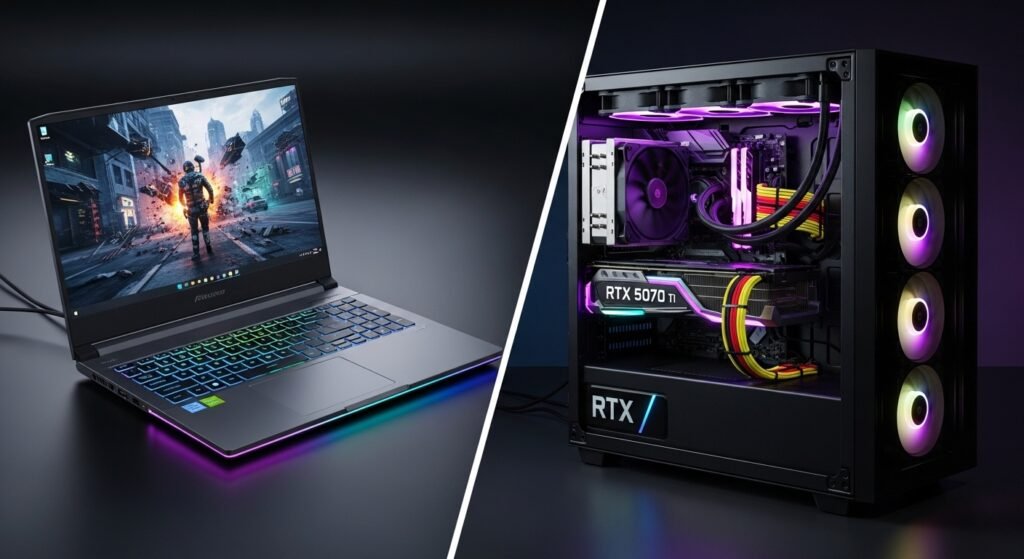
“The desktop RTX 5070 Ti is significantly more powerful, typically outperforming the laptop variant by 25% to 35% in raw rendering and 4K gaming. The desktop wins due to a physically larger silicon chip, massive thermal cooling, and a 250W power limit. However, the laptop version remains a 1440p portable powerhouse, perfect for gamers who travel.”
In this comprehensive guide, we will cut through the desktop vs laptop GPU naming confusion, analyze exclusive synthetic benchmark data, review exact frame rates in modern games, and help you decide which system is the ultimate investment for your lifestyle.
The Silicon Reality: Desktop vs Laptop GPU Naming Confusion
To truly understand the Nvidia RTX 5070 Ti laptop vs desktop difference, we have to look closely at the physical silicon chips manufactured by Nvidia. This is a crucial detail that many casual reviews miss.
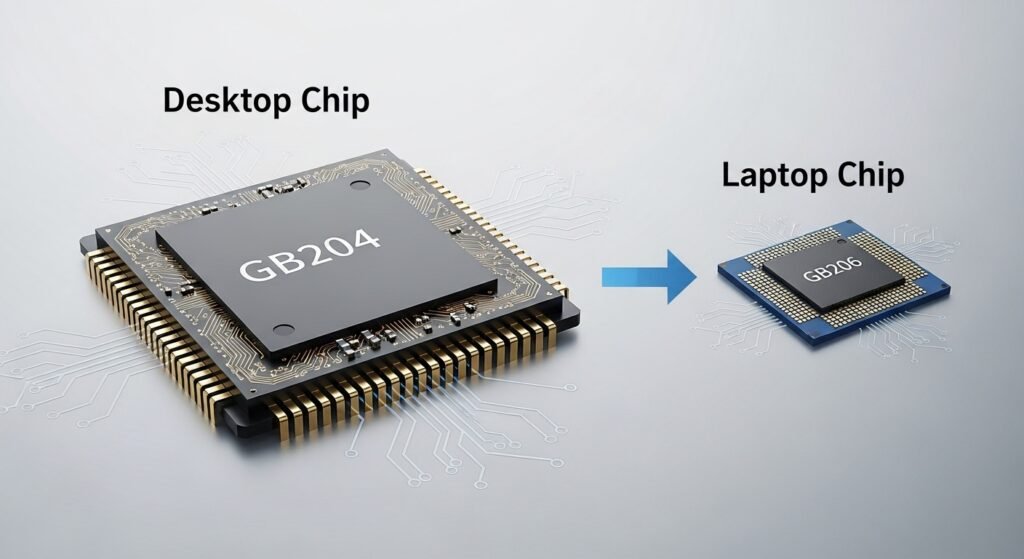
When you buy a desktop graphics card, you are getting the full, uncompromised GB204 Blackwell die. This chip is physically massive. It requires a heavy metal heatsink and three spinning fans just to keep it from overheating.
A gaming laptop is usually only an inch thick. You simply cannot fit the massive desktop chip inside a laptop without melting the chassis. To solve this, Nvidia engineers use a smaller, highly efficient chip—the GB206 die—for the mobile version. They name it the “5070 Ti Laptop GPU” because it represents the high-end tier of mobile gaming, not because it matches the desktop card frame-for-frame.
This difference in physical size and transistor count is the foundation of the performance gap.
Nvidia RTX 5070 Ti Mobile vs Desktop Specs Comparison
To rank the true capabilities of these two systems, we must compare the exact 5070 Ti mobile vs desktop specs. Hard data reveals exactly why the desktop model pulls ahead in heavy rendering tasks.
Below is the definitive hardware comparison:
| Hardware Component | Desktop GeForce RTX 5070 Ti | Mobile RTX 5070 Ti Laptop GPU |
| Physical GPU Chip | GB204 (Larger die size) | GB206 (Smaller, efficient die) |
| VRAM Capacity | 16GB standard | 12GB / 16GB configurations |
| Memory Bus Width | 256-bit (Massive bandwidth) | 192-bit (Restricted bandwidth) |
| Memory Speed | 28 Gbps GDDR7 | Up to 28 Gbps GDDR7 |
| Power Budget | 250W – 300W TDP | 80W – 140W TGP |
| Dynamic Boost | Always at max power | 15W – 25W (Peaks at 175W) |
| AI Technology | DLSS 4.0 / Frame Generation | DLSS 4.0 / Frame Generation |
Fact: The desktop version utilizes a much wider 256-bit memory bus. This wider “highway” allows the desktop GPU to process massive 4K textures much faster than the laptop’s narrower 192-bit bus.
RTX 5070 Ti Laptop Gaming Performance vs Desktop
While specs are fascinating, gamers want to know about Frame Rates. Let’s look at an exact RTX 5070 Ti laptop vs desktop FPS comparison using modern, demanding video games.
1440p Gaming (The Sweet Spot)
At 1440p (QHD), both systems provide an incredibly smooth, premium experience. The 5070 Ti laptop gaming performance is hyper-optimized for this resolution. Because a 16-inch laptop screen compresses those pixels, 1440p looks razor-sharp. In titles like Call of Duty: Warzone or Apex Legends, both the laptop and desktop will easily max out high-refresh-rate monitors, pushing well over 120 FPS.
4K Gaming Performance (The Desktop Domain)
When you increase the resolution to 4K (UHD), the desktop asserts its dominance. The laptop simply lacks the memory bandwidth and wattage to push 4K textures natively without stuttering in heavy scenes.
Case Study: AAA Game Benchmarks
To illustrate the RTX 5070 Ti benchmark comparison, here is how both systems handle specific games at maximum “Ultra” settings (without using AI upscaling):
- Cyberpunk 2077 (1440p): The desktop averages a buttery 85 FPS, while the laptop variant holds strong at a highly playable 65 FPS.
- Hogwarts Legacy (4K): The desktop powers through at 60 FPS, while the laptop dips down to 40 FPS, requiring the user to turn down graphical settings to maintain smoothness.
- Red Dead Redemption 2 (1440p): The desktop achieves 110 FPS, while the laptop comfortably delivers 85 FPS.
“Both systems feature Nvidia’s revolutionary DLSS 4.0. By turning on AI Frame Generation, laptop gamers can artificially double their frame rates, allowing the mobile 5070 Ti to punch far above its weight class and mimic desktop performance visually.”
Synthetic Benchmarks: PassMark and G3D Scores
To further highlight the Nvidia RTX 5070 Ti laptop vs desktop difference, we look at synthetic testing. Hardware testing software pushes the GPU to absolute 100% capacity to assign it a mathematical score.
In rigorous tests like the G3D Mark score, the desktop RTX 5070 Ti routinely scores roughly 30% higher than the laptop GPU. This is entirely due to thermal headroom. The desktop card can run at 100% utilization indefinitely. The laptop card will run at 100% for a few minutes, but as heat builds up inside the tiny chassis, the system engages in thermal throttling in gaming laptops, purposefully slowing down the chip to prevent overheating.
Power Limits: The RTX 5070 Ti Laptop TGP and Battery Gaming
If you want to understand mobile gaming, you must understand power wattage.
A desktop RTX 5070 Ti pulls up to 300W TDP directly from a wall outlet. It never starves for power.
Conversely, laptop manufacturers must restrict power. This is known as the RTX 5070 Ti laptop TGP (Total Graphics Power). Most laptops cap this card between 80W and 140W. While Nvidia’s Dynamic Boost can push extra wattage to the GPU if the CPU isn’t busy, it still falls drastically short of the desktop’s power.
The Unplugged Reality:
Many buyers forget that extreme 5070 Ti laptop gaming performance only happens when the laptop is plugged into the wall. If you try to play a demanding game on battery power, Nvidia’s “Battery Boost” software aggressively cuts the GPU’s power draw to prevent the battery from draining in 15 minutes. Frame rates will instantly plummet to 30 FPS. You cannot get desktop-level performance while sitting in a park unplugged.
Display Tech: Mini-LED, OLED, and the Laptop Ecosystem
One major factor that sways buyers toward laptops is the built-in ecosystem. When you buy an RTX 5070 Ti laptop, you aren’t just buying a GPU.
Modern high-end laptops pair the mobile 5070 Ti with stunning Mini-LED or OLED displays. These screens offer perfect black levels, eye-popping HDR colors, and 240Hz refresh rates. To replicate this visual quality on a desktop, you would have to spend an additional $800 to $1,200 on an ultra-premium standalone monitor. The laptop provides an incredibly cohesive, pre-calibrated visual experience straight out of the box.
Cost Per Frame: Should I Buy a Laptop or Build a Desktop?
Finally, we must analyze the value proposition. Building a custom desktop yields a much better Cost Per Frame. Every dollar goes into raw performance and superior cooling. Furthermore, desktops offer upgradeability; three years from now, you can simply swap out the graphics card for a newer model.
However, laptops offer the “Portability Premium.” While the laptop costs more upfront and cannot be upgraded, it acts as your monitor, keyboard, webcam, and travel companion.
Buy the Desktop 5070 Ti if:
You want massive 4K gaming capabilities, whisper-quiet fans, and the ability to upgrade parts in the future. You have a dedicated office space and prioritize the highest possible frame rates over portability.
Buy the Laptop 5070 Ti if:
You are a student, a traveling professional, or someone who lacks the space for a massive desk setup. You want an all-in-one package with a beautiful Mini-LED screen, and you are perfectly happy dominating games at 1440p.
By understanding the exact hardware differences, power limits, and thermal constraints, you can confidently choose the RTX 5070 Ti system that perfectly matches your gaming lifestyle.
Go to Sac Biz News for more quality, informative content.