


Is iPhone 14 waterproof? If you are searching for this, you probably want a direct answer before your phone gets wet—or maybe it already is.
- iPhone 14 Waterproof vs Water Resistant: What Does IP68 Mean?
- Are All iPhone 14 Models Equally Water-Resistant?
- My Real-Life Experience: Rainwater Destroyed My iPhone 14 Pro Max
- Real-Life Scenarios: Can the iPhone 14 Go in Water?
- Does Apple Warranty Cover Water Damage?
- How to Dry a Wet iPhone 14 (The Right Way)
- Should You Buy a Waterproof Case for the iPhone 14?
- Final Thoughts
No, the iPhone 14 is not entirely waterproof; it is water-resistant. Every model in the iPhone 14 series comes with an IP68 rating. According to Apple, this means the device can survive being submerged in fresh water up to 6 meters (about 19.6 feet) deep for a maximum of 30 minutes.
However, tech specifications on paper and real-world accidents are two very different things. My competitors will tell you the phone is perfectly safe near water, but as someone who has dealt with the expensive consequences of water damage, I am here to tell you the complete truth.
In this comprehensive guide, we will break down exactly what your phone can handle, what happens to your warranty, and a real-life story of how just 15 minutes in the rain destroyed a brand-new screen.
iPhone 14 Waterproof vs Water Resistant: What Does IP68 Mean?
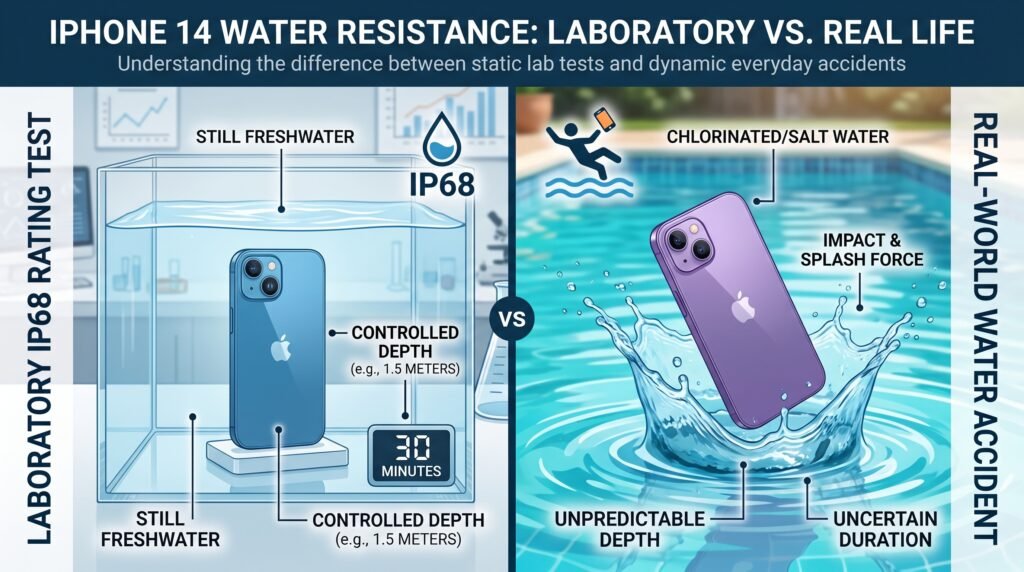
To understand your phone’s durability, you must understand the difference between iphone 14 waterproof vs water resistant. Waterproof means liquid cannot enter the device under any circumstances. Water-resistant means the device can delay water entry, but it is not impenetrable.
Apple tests its phones under IEC standard 60529 in highly controlled laboratory conditions. Here is what the iPhone 14 IP68 rating actually means:
- The 6: Total protection against solid particles (dust, sand, and lint).
- The 8: Protection against continuous immersion in water (up to 6 meters for 30 minutes).
The Missing Fact You Need to Know: What most tech blogs forget to mention is that the IEC standard uses still, pure freshwater in a lab. Real life involves motion, pressure, and chemicals. Dropping your phone in a bucket gently is vastly different than dropping it in a moving river or a chlorinated pool.
Table: Laboratory Specs vs. Real-World Risks
| Testing Condition | The Apple Lab (IP68 Test) | Real-World Scenarios |
| Water Type | 100% Pure Freshwater | Saltwater, Chlorine, Coffee, Rainwater |
| Water Movement | Completely Still | Splashes, Water Jets, Ocean Waves |
| Device Condition | Brand New (Perfect Seals) | Normal wear and tear, microscopic cracks |
Are All iPhone 14 Models Equally Water-Resistant?
Whether you own the base model, are wondering if the iPhone 14 Plus water resistant features are different, or want to know if the iPhone 14 Pro waterproof limits are higher, the answer remains the same.
Every single model—including the iPhone 14 Pro Max—shares the exact same IP68 rating. Upgrading to a premium model does not give you extra protection against water.
My Real-Life Experience: Rainwater Destroyed My iPhone 14 Pro Max
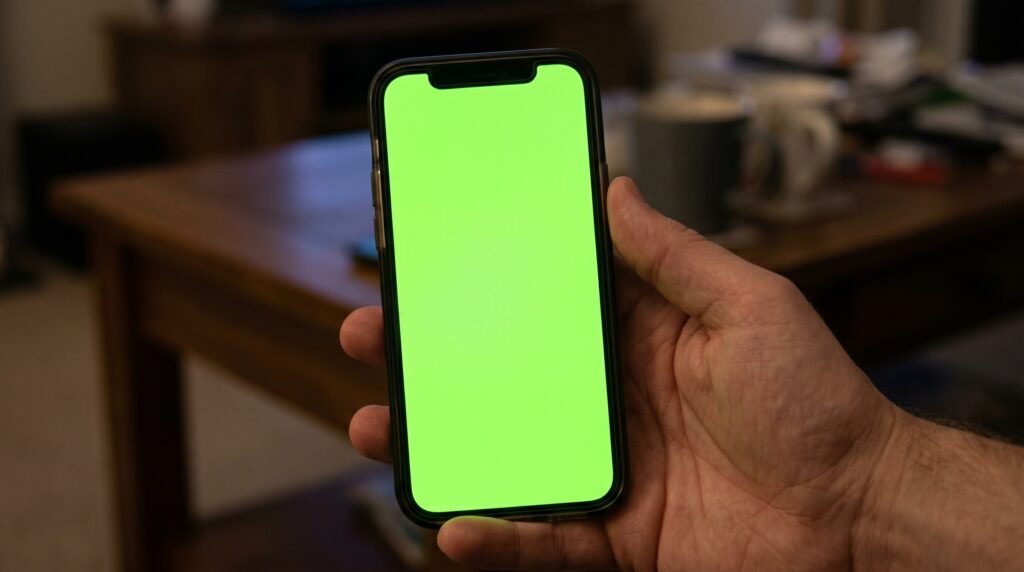
Recently, I had a brand new, pin-pack iPhone 14 Pro Max. It had zero scratches and was in pristine condition. By accident, I left it sitting out in the rainwater for 15 minutes. Because of the IP68 rating, I didn’t panic. I wiped it off, used it, and everything seemed perfectly fine.
However, a few hours later, I received a phone call. The moment the phone rang, the entire screen turned completely green.
I immediately took it to a professional repair technician. He opened the device and confirmed my worst fear: rainwater had bypassed the factory seals. He told me the display was completely ruined, the internal display connectors had short-circuited, and I had to pay for a brand new, highly expensive screen replacement.
The Lesson: Never assume your phone is invincible just because it is new. Rainwater is not pure lab water; it can be slightly acidic, and the kinetic impact of raindrops can force water into the speaker grilles faster than still water.
Real-Life Scenarios: Can the iPhone 14 Go in Water?
Based on my experience and missing data from case manufacturers, here is how your phone reacts to everyday hazards.
What Happens with Coffee, Soda, or Tea Spills?
This is a massive detail most people miss. If you spill soda, beer, or coffee on your phone, you are not just dealing with liquid; you are dealing with sugars and sticky acids. If you spill a sugary drink, Apple officially recommends you gently rinse the affected area with fresh tap water before wiping it with a dry cloth. Leaving sticky liquids to dry will ruin your buttons and speakers.
Can I Take My iPhone 14 in the Pool or Ocean?
You should never intentionally swim with your phone. Swimming pools contain harsh chemicals that eat away at the water-resistant adhesives. The ocean is even worse; saltwater is highly corrosive and will destroy the metal pins inside your Lightning port almost instantly.
The “Cracked Screen” Danger Zone
If your phone has even a hairline crack on the front glass or back glass, your IP68 rating is instantly void. A cracked phone has zero water resistance. Even the smallest splash can seep through the crack and cause irreversible liquid damage.
Does Apple Warranty Cover Water Damage?
This is where the financial reality hits. Does Apple warranty cover water damage? The absolute answer is NO.
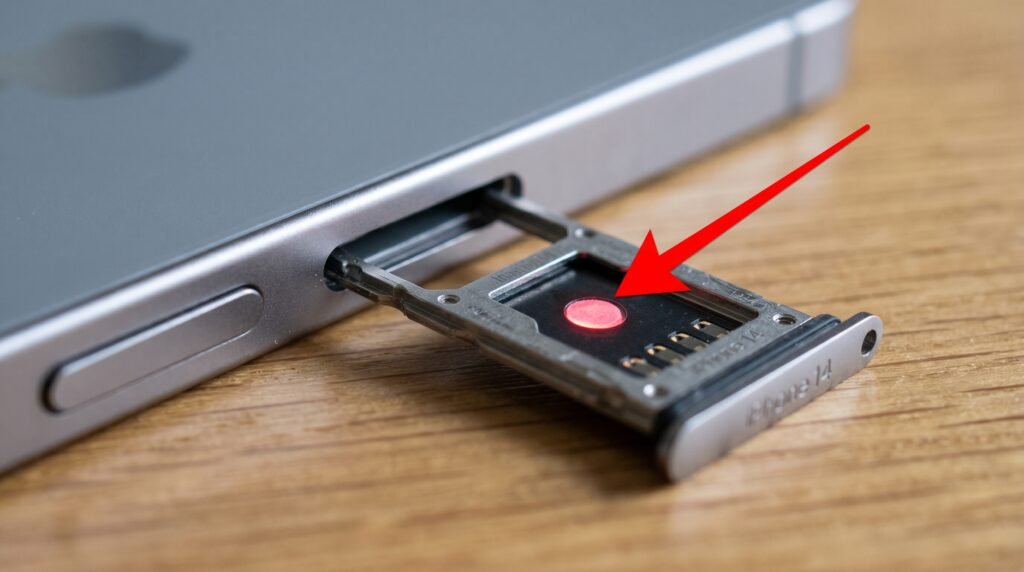
Apple’s standard 1-year limited warranty completely excludes liquid damage. Apple technicians verify this using a hidden sensor called the Liquid Contact Indicator (LCI), located inside the SIM card tray. If water touches this indicator, it permanently changes from white to red. Once a technician sees a red LCI, you have to pay full price for a replacement.
The Exception: AppleCare+
If you purchased AppleCare+, you are in luck. AppleCare+ does cover accidental liquid damage, though you will still need to pay a standard deductible fee (usually around $99). This is a crucial detail that many case companies conveniently forget to mention.
How to Dry a Wet iPhone 14 (The Right Way)
If your phone takes a dive, how you react in the next ten minutes determines if it lives or dies.
1. The Lightning Connector Warning
If you plug your phone in and see the message, “Liquid detected in Lightning connector,” unplug it immediately. Forcing it to charge will fry the logic board. If you desperately need battery, use a wireless MagSafe charger, as it uses magnets instead of exposed metal pins.
2. Safe Drying Steps
Power the phone off. Tap it gently against your hand with the charging port facing down. Leave it in a dry, well-ventilated room. You can also place it near silica gel packets, which safely absorb moisture from the air.
3. The Uncooked Rice Myth
Do not put your iPhone in rice. Apple recently updated their official guidelines to warn users against this. Rice dust and starches will get stuck in your charging port, mix with the water, and harden like concrete. Furthermore, never use hair dryers or compressed air, as extreme heat will melt the internal water-resistant seals.
Quote from the Experts:
“Water resistance is not a permanent condition and might decrease as a result of normal wear. Do not attempt to charge a wet iPhone.” — Apple Official Support
Should You Buy a Waterproof Case for the iPhone 14?
Because normal wear and tear degrades your phone’s internal seals over time, and because Apple refuses to fix water damage for free under the standard warranty, leaving your phone unprotected is a massive financial risk.
If you are going to the beach, work outdoors, or just want to avoid the “green screen of death” that I experienced from a simple rainstorm, you need a waterproof iPhone 14 case.
Look for cases that offer rugged protection with their own independent IP ratings. A good protective case provides a physical barrier against splashes, spills, and dust, ensuring that the water never actually touches your device’s chassis.
Final Thoughts
The engineering of the modern smartphone is brilliant, but it is not magic. Now that you know the truth about iphone 14 water damage, treat the water resistance as an emergency backup parachute, not a toy to play with in the pool. Keep it out of the rain, dry it safely if it gets wet, and invest in a solid protective phone case to ensure your device lasts for years without an expensive trip to the repair shop.
Go to Sac Biz News for more quality, informative content.