


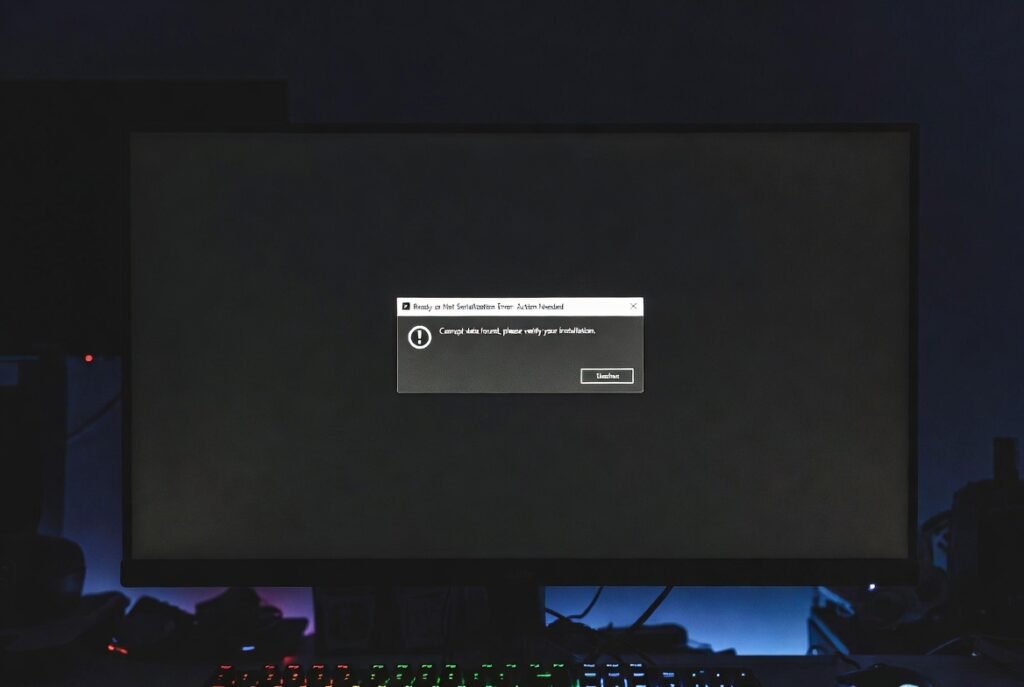
Ready or Not serialization error continues to frustrate many players in 2026, especially those who enjoy using mods or have recently updated the game. If you’re staring at the message “Serialization Error: Action Needed — Corrupt data found, please verify your installation”, this detailed guide will help you fix it quickly and prevent it from returning.
This error usually appears as a black screen or launch failure and is most commonly caused by outdated mods, leftover files in the Paks folder, or conflicts after the Unreal Engine 5 update and later patches. In this updated 2026 guide, you’ll find the safest step-by-step fixes ranked from easiest to more advanced, plus prevention tips that many basic guides miss.
What Causes the Ready or Not Serialization Error?
The serialization error action needed happens when the game detects incompatible or corrupted data. The top reasons include:
- Outdated or broken mods that are not compatible with the current version of Ready or Not, especially after the July 2024 Unreal Engine 5 update and subsequent 2025–2026 patches.
- Leftover files in the ReadyOrNot/Content/Paks folder, such as the mod.io folder, extra .pak files, or pakchunk23.
- Conflicts caused by ReShade or improper mod installation through Vortex Mod Manager.
- Damaged game files after installing DLC like Dark Waters.
- Rarely, issues with local save data in the %localappdata% folder.
Important fact: In a clean installation, your Paks folder should only contain official files named pakchunk0-Windows.pak through pakchunk20-Windows.pak plus their matching .sig files — totaling around 46 pakchunk/sig files. Anything else, including pakchunk23, is likely triggering your corrupt data found error.
How to Fix Ready or Not Serialization Error Step by Step
Follow these steps in order. Always back up your save files before deleting folders.
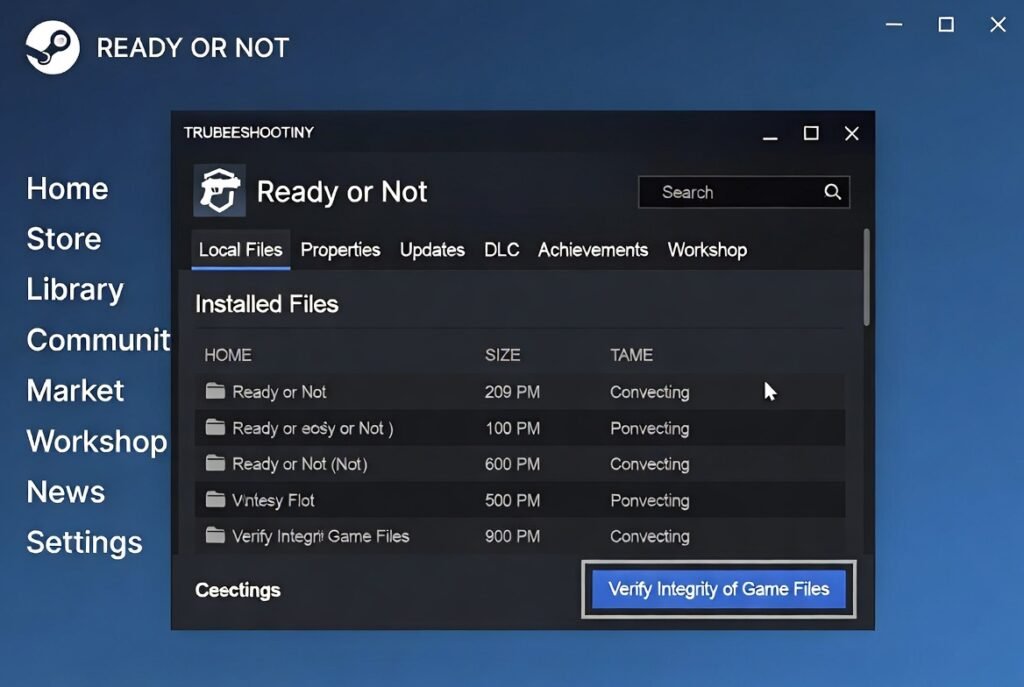
Step 1: Verify Integrity of Game Files This is the safest starting point recommended by most players and official troubleshooting.
- Open Steam and go to your Library.
- Right-click Ready or Not → Properties → Installed Files.
- Click Verify integrity of game files and wait for the process to complete.
- Launch the game and test.
Many users fix the Ready or Not serialization error with just this step.
Step 2: Delete the mod.io Folder Competitors like Sportskeeda highlight this as highly effective.
- Go to: Steam\steamapps\common\Ready Or Not\ReadyOrNot\Content\Paks
- Completely delete the mod.io folder.
- Restart the game. It may recreate a clean version.
This removes leftover mod data that often causes the corrupt data found, please verify your installation message.
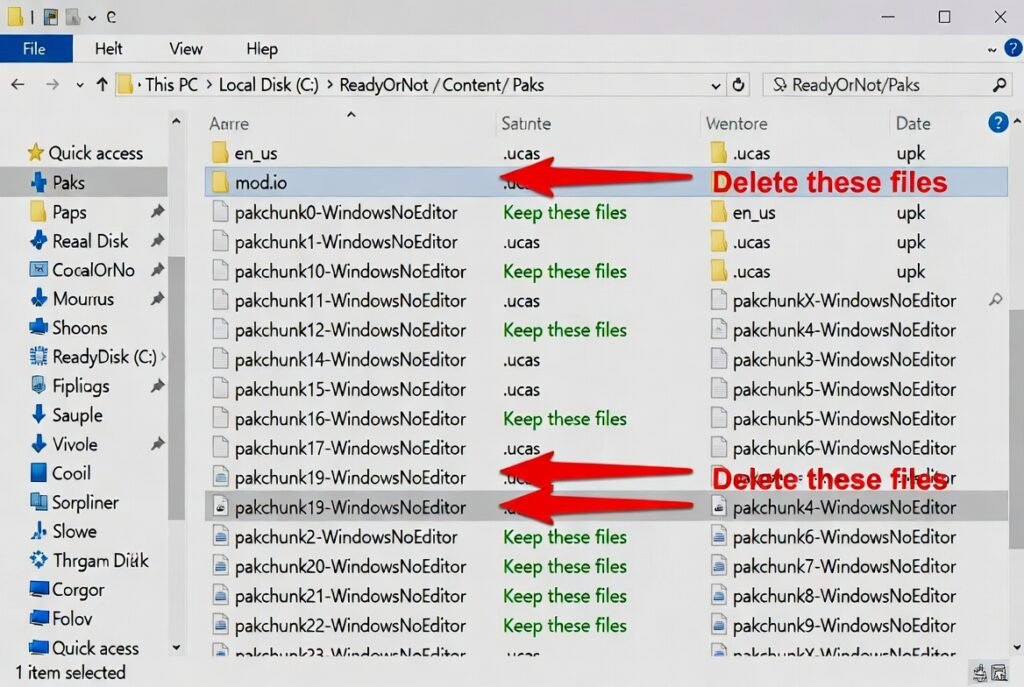

Step 3: Clean the Paks Folder Thoroughly This is one of the most powerful fixes mentioned across GamePressure and community threads.
Open the Paks folder and delete any file that is not an official pakchunk0-Windows.pak to pakchunk20-Windows.pak (including .sig files).
Specifically delete:
- The mod.io folder (if still present)
- Any pakchunk23 file
- Any file with numbers outside 0–20 or non-standard names
Only keep legitimate pakchunk files. After cleaning, go back to Steam and verify integrity of game files again.
Step 4: Use the In-Game Clear Mods Option A useful newer feature: When launching the game, select the Clear Mods option if prompted.
Good news — as of recent updates (Los Sueno Stories and later), this option no longer deletes your saves or loadouts. You can then safely unsubscribe from mods directly through the in-game mod.io menu.
Step 5: Remove ReShade and Other Overlays If you use ReShade or overlays from Discord/Steam, disable or uninstall them completely, as they frequently conflict with the game’s rendering after UE5 changes.
Step 6: Clean Reinstall (Last Resort) If the error persists:
- Uninstall Ready or Not via Steam.
- Manually delete the remaining game folder in steamapps\common.
- Reinstall the game fresh and verify files before adding any mods.
Advanced Troubleshooting Tips
- Update your GPU drivers (NVIDIA, AMD, or Intel) and Windows to the latest version.
- If using Vortex Mod Manager, check the mods deployment folder and ensure no leftover pak files remain.
- After installing Dark Waters DLC, repeat the Paks folder cleanup because new content can introduce fresh file conflicts.
- Try launching the game in Safe Mode (add -safemode as a launch option) to test without mods.
One player on Steam discussions shared: “Deleting pakchunk23 along with the mod.io folder finally stopped the serialization error after it kept coming back post-patch.”
How to Prevent Ready or Not Serialization Error in the Future
Prevention saves time and frustration:
- Only install mods that have been updated after the latest game patch. Check upload dates on Nexus Mods or in-game mod.io.
- Regularly clean the Paks folder after major updates.
- Prefer subscribing/unsubscribing to mods through the official in-game mod.io browser.
- Avoid mixing very old mods with new versions of the game.
- Backup your saves located in %localappdata%\ReadyOrNot\Saved before experimenting.
Quick Fix Success Comparison Table
| Fix | Difficulty | Expected Success Rate | Time Needed | When to Use |
|---|---|---|---|---|
| Verify Integrity of Files | Easy | High | 2–5 minutes | First step for most players |
| Delete mod.io Folder | Easy | Very High | 1–3 minutes | Mod-related corrupt data |
| Clean Paks Folder (pakchunk23) | Medium | Very High | 5–10 minutes | Leftover or extra .pak files |
| In-Game Clear Mods | Easy | High | 2 minutes | After recent updates |
| Full Clean Reinstall | Hard | Highest | 20–40 minutes | Persistent cases |
Frequently Asked Questions
What does Serialization Error: Action Needed mean?
It signals that the game found corrupt data or incompatible files, most often from outdated mods or extra files in the Paks folder.
Does verifying game files fix the error?
Yes for many players, but combining it with deleting the mod.io folder and cleaning extra pakchunk files gives much better results.
Is it safe to delete pakchunk23?
Yes. Community sources confirm pakchunk23 is a known problematic file that should be removed.
Can I keep my mods after fixing the serialization error?
Yes, but only reinstall mods updated for the current 2026 version of the game.
Why does this keep happening after Dark Waters DLC?
New DLC content can introduce file conflicts. Always clean the Paks folder after installing new DLC or patches.
Will Clear Mods delete my saves?
No — recent updates made this option safe for saves and loadouts.
Conclusion
The Ready or Not serialization error is almost always fixable by targeting outdated mods, the mod.io folder, and unwanted files like pakchunk23 in the Paks directory. Start with verifying your game files and deleting the mod.io folder — these two steps resolve the issue for the majority of players.
Stay safe by backing up your data and only using updated mods. If one of the steps worked particularly well for you, feel free to share your experience in the comments.
Go to Sac Biz News for more quality, informative content.